
Shrek 2 Remastered Co-op Guide: 4-Player Online
How Shrek 2 Remastered co-op works: 4-player online and couch play, Epic account linking, mixed parties, progress sharing and launch-week fixes.
Shrek 2 Remastered supports four-player co-op online, locally and in mixed groups. Online play uses Epic Online Services, so Steam players may need to link an Epic account. There is no crossplay between PC and consoles. Progress saves to the host.
The original 2004 game was a couch co-op classic. The remaster keeps that mode and adds online play, which is the main reason to buy it again. The implementation is functional but not seamless: account linking, lobby invites and progress rules all need a quick explanation.
This guide covers how to start a session, how to mix local and online players, what carries between sessions and the errors that showed up during launch week.
Co-op modes
| Mode | Players | Requirements |
|---|---|---|
| Solo | 1 | None |
| Local co-op | 2-4 | Controllers |
| Online co-op | 2-4 | Epic Online Services account |
| Mixed | 2-4 | Host online, local guests on the host's screen |
Local co-op uses a shared screen, not split-screen. All four characters stay on the same camera, and the camera follows the group. If one player runs ahead, the others are pulled along or blocked by the screen edge.
Online co-op uses the same shared-screen design. Each player sees the host's camera, so the group has to stay together. This is not a drop-in open-world co-op game; it is a shared campaign.
How to start an online session
- Launch the game and sign in to Epic Online Services when prompted.
- From the storybook hub, choose Chapter Select or continue the story.
- Open the pause menu and select Co-op.
- Invite friends from your platform's friend list or the Epic overlay.
- Wait for all players to load before starting the chapter.
The host controls the save. Guests do not keep progress after leaving, but they do keep achievements they earn during the session. If you want everyone to keep progress, play through the host's save and let each player host their own run afterward.
There is no matchmaking. You must invite friends directly. The game does not fill empty slots with random players.
Epic account linking
Steam players may see an Epic account link prompt before online play. The link is required for Epic Online Services, not for the game itself. Solo and local play work without it.
If the link fails:
- Close the game and open Epic's website in a browser.
- Sign in to the Epic account you want to use.
- Return to the game and retry the co-op menu.
- If the loop continues, sign out of Epic in the browser and sign in again.
Launch-week reviews mention players who could not sign in with their Steam credentials. That is an account-linking issue, not a game-breaking bug. Epic's support pages have a account recovery flow if the email is lost.
Mixed local and online parties
The remaster supports two players on one screen and two players online. The host's local guests use controllers; the online guests connect through Epic.
The camera follows the host's local group. Online players who fall behind are teleported to the group after a short delay. This makes mixed play workable, but it can be confusing during collectible hunts.
If you are hunting beans, assign one player to call out the route and keep the group together. The shared camera makes solo detours impossible.
Progress and collectibles
Coins, beans and Snapshots collected during a session count for the host's save. Guests see the pickups but do not keep them. Achievements are the exception: each player earns their own achievements based on their actions.
If a guest needs a specific collectible, they should host the session. The host's save is the only one that records level progress.
Character upgrades are tied to the host's save. Guests use the host's upgraded characters, which is actually an advantage: a new player can join a fully upgraded run and skip the coin grind.
Best party composition for four players
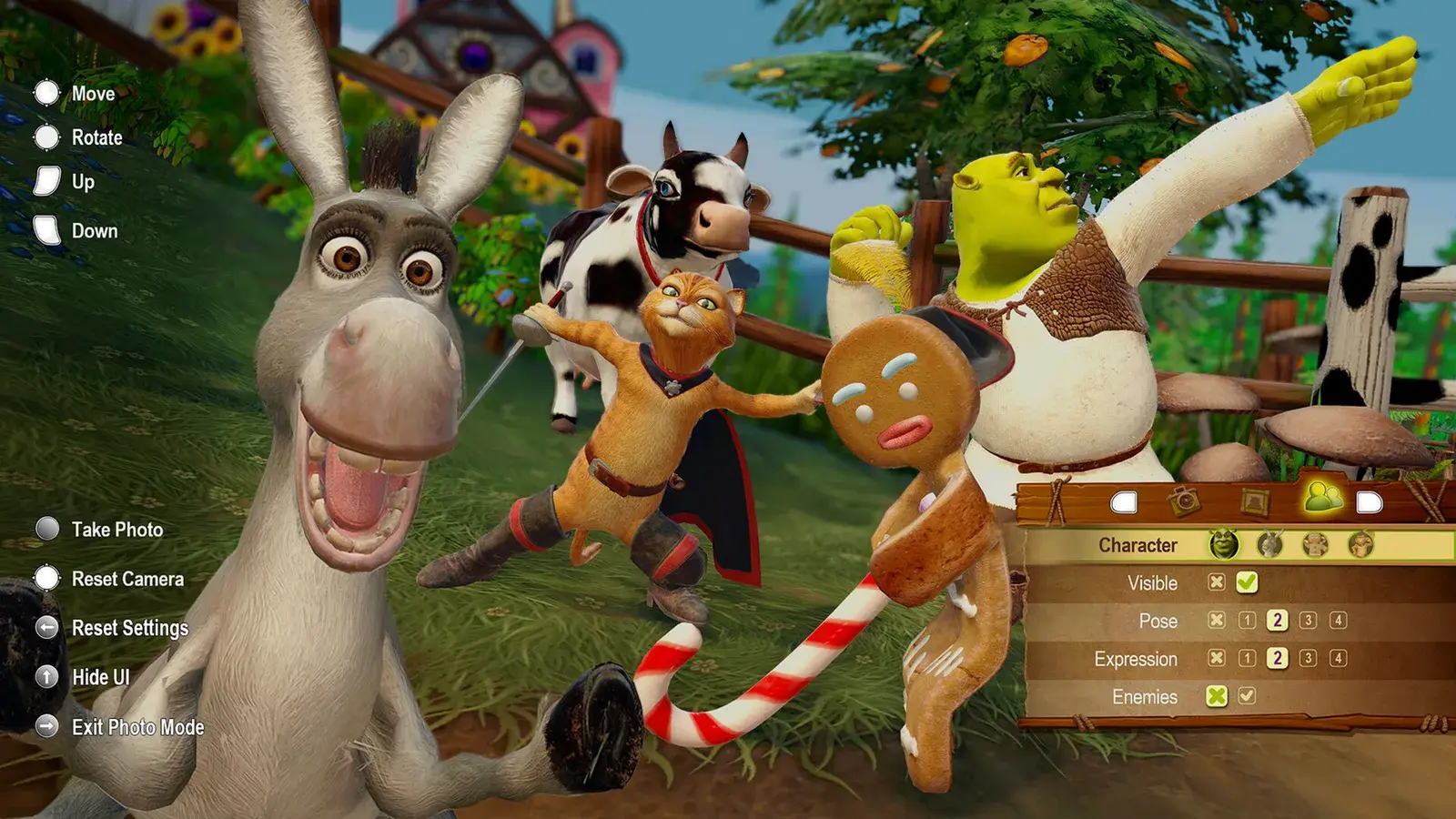
The party is fixed by chapter, but you can assign roles:
- Player 1: Shrek or Wolf for damage and throwing.
- Player 2: Fiona for Slow Time and escorts.
- Player 3: Puss for tightropes and traversal.
- Player 4: Donkey or Gingy for locks and distraction.
In chapters without Puss, assign the tightrope role to whoever has the closest traversal ability. In Prison Break, one player should stay on Wolf at all times.
Troubleshooting
Friends cannot join
Check that both players are on the same platform family. There is no crossplay. If you are on PC, make sure the Epic overlay is enabled and the host's game is not set to private.
The invite button is greyed out
The game may still be loading the chapter. Return to the storybook hub and try again. If the button stays grey, restart the game and sign in to Epic before loading a save.
Disconnects during a chapter
The host can pause and reopen the lobby. Guests who disconnect can rejoin from the invite list. Progress since the last checkpoint is kept for the host.
Achievements not unlocking for guests
Guests earn achievements for their own actions, but some story achievements only unlock for the host. If a guest needs a story achievement, they should host the chapter.
Before assigning four players, check which character solves which gate → so nobody is stuck on a tightrope they cannot cross.
FAQ
Is Shrek 2 Remastered crossplay?
No crossplay is listed for PC, PlayStation, Xbox or Switch. Online co-op works within the same platform family.
How many players can play co-op?
Up to four, online or locally, with mixed local and online parties supported.
Does co-op progress save for everyone?
Only the host's save records progress. Guests keep achievements but not level completion or collectibles.
Can you play co-op without an Epic account?
Local co-op works without an Epic account. Online co-op requires Epic Online Services sign-in.
Sources
Official source: Steam store page ↗
- Shrek 2 Remastered official site ↗ for the co-op feature list.
- PCGamingWiki: Shrek 2 Remastered ↗ for Epic Online Services middleware.
- Wikipedia: Shrek 2 (video game) ↗ for the original local co-op design.